
Free Football Scoreboard Overlay for OBS Studio
Formations, live score, match clock, and goal/card events — all pushed straight to your OBS overlay in real time, no graphics software required.
Run a Pro Football Scoreboard From Your Browser — Free
- Free to use, no watermark, no paywalled features
- Set formations and Starting XI for both teams
- Match clock with injury time and extra time built in
- Goals, cards, and subs log automatically with on-screen popups
- Control everything from inside OBS with the Custom Browser Dock
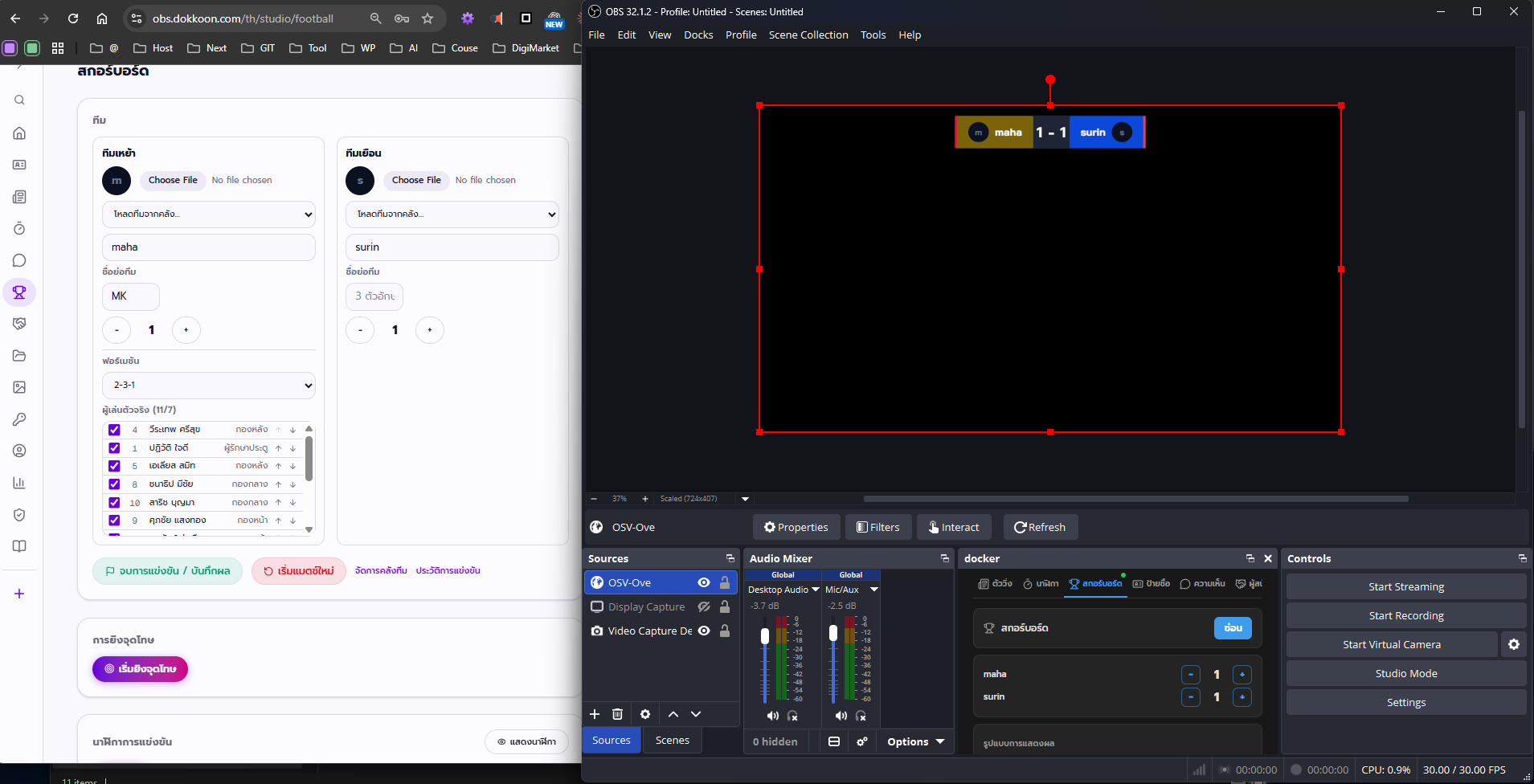
Overview
- What it is
- The football scoreboard module is a real-time OBS overlay that shows two teams' names, logos, and scores, a match clock, and live event notifications — all driven from a web control panel.
- What it's for
- Use it to broadcast school matches, amateur leagues, and tournaments with a proper scoreboard graphic instead of a plain camera feed.
- Who it's for
- Built for school and amateur sports media teams, 7-a-side and futsal leagues, and tournament organizers who need broadcast-style graphics without a production budget.
- The problem it solves
- Most small sports broadcasts either skip a scoreboard entirely or hand-edit one in slides — this module gives them a live, always-accurate scoreboard that updates the moment something happens on the pitch.
Features
Formations & Starting XI
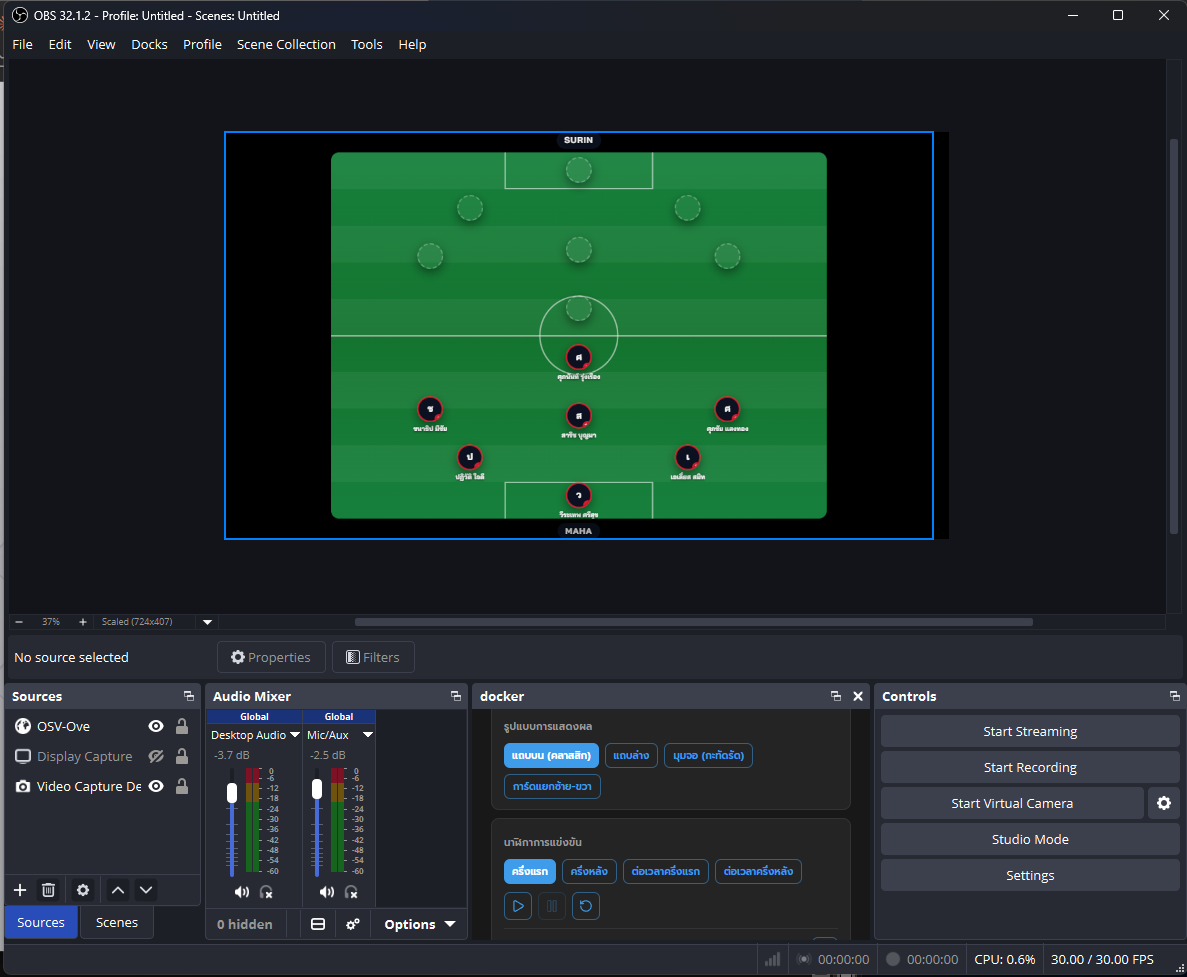
Pick a formation for each team — 11-a-side options like 4-4-2, 4-3-3, 3-5-2, and 4-2-3-1, or 7-a-side options like 2-3-1, 3-2-1, and 2-2-2 — then select the Starting XI from that team's roster.
Viewers see exactly who's on the pitch and how the team lines up, not just a scoreline.
Example: A school picks 2-3-1 for their 7-a-side team and slots in the seven players who are actually starting that day.
Match Clock With Injury Time & Extra Time
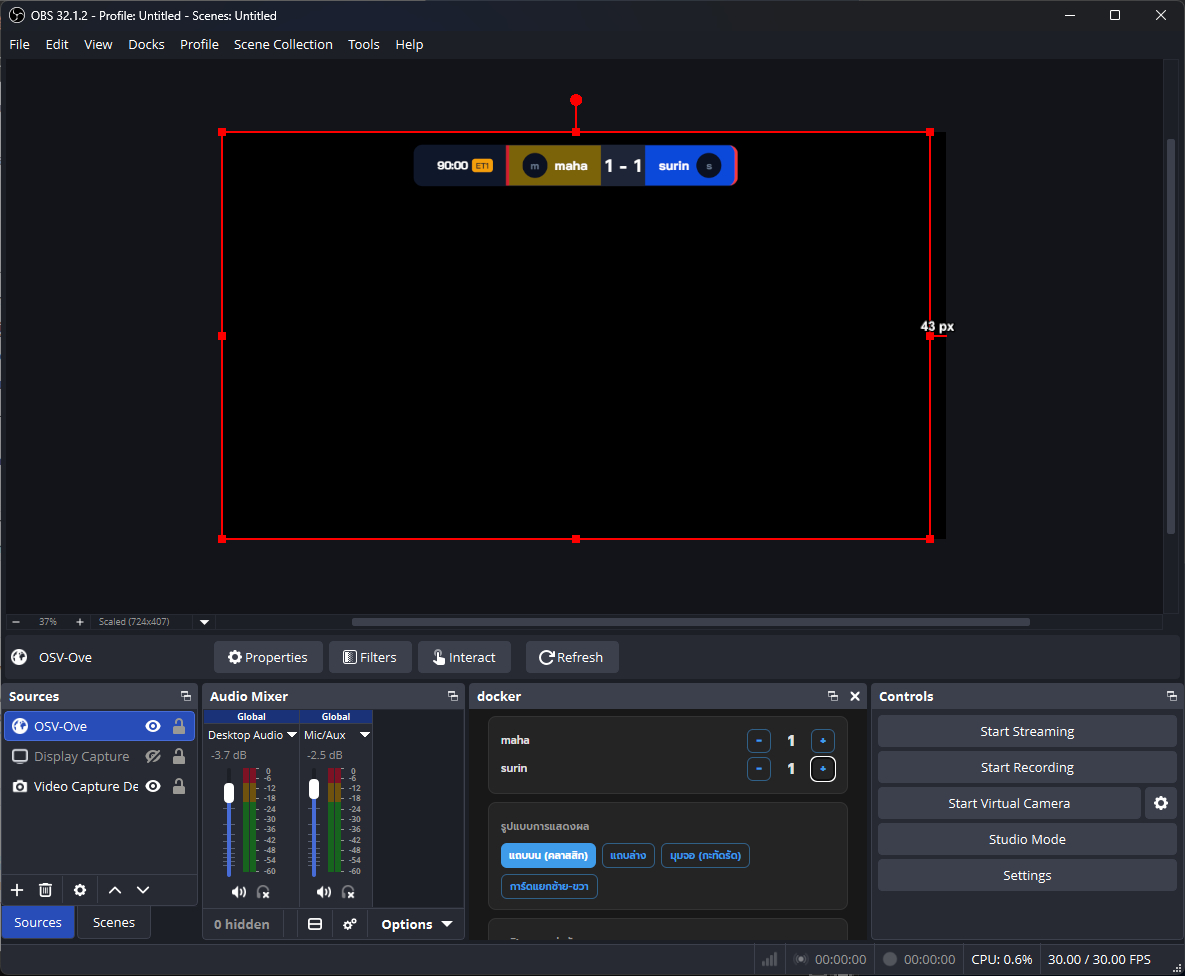
Start, pause, and reset the clock for first half, second half, and extra time (ET1/ET2). Half length is configurable — not locked to 45 minutes — and you can add injury time in minutes or manually correct the elapsed minute if Start wasn't clicked exactly at kickoff.
The clock stays accurate for youth, futsal, or shortened formats, not just full 90-minute adult matches.
Example: A futsal tournament sets each half to 20 minutes and the clock auto-stops once it hits 20:00 plus added time.
Live Event Log
Record goals, yellow cards, red cards, and substitutions with the player's name and the minute it happened. Goals automatically add to that team's score.
Every event pops up on screen as an animated notification and fades out on its own after 6 seconds — no manual graphics needed.
Example: You log a 63rd-minute goal for the home team; the score updates and a goal notification appears over the overlay, then disappears by itself.
Team Library
Save a team's name, logo, and roster to a reusable library so you don't have to re-enter everything before every match.
Recurring leagues and tournaments load a team in seconds instead of rebuilding it from scratch each week.
Example: A community league saves its eight club teams once at the start of the season and just loads two of them before each fixture.
Penalty Shootout Mode
Track a penalty shootout kick by kick, marking each attempt scored or missed, with an option to undo the last kick if you tap the wrong result.
Knockout matches that go to penalties get the same live, accurate coverage as regular play.
Example: A cup semifinal goes to penalties; you tap through each kick and the overlay shows the shootout score building in real time.
Match History
Ending a match archives the final score and full event log to a match history record, then resets the module for the next fixture.
You get a running record of results across a tournament day without keeping your own separate notes.
Example: After the final whistle you tap End Match, and that game's score and events are saved before you set up the next pairing.
How it works
- 1Set up both teams — Enter each team's name, 3-letter abbreviation, and logo, and pick a formation for each side.
- 2Build the Starting XI — Choose which players from each team's roster are starting, based on the formation you picked.
- 3Run the match clock — Start the clock for kickoff, pause at half-time, and start the second half — with the option to continue the running time or restart at 0'.
- 4Log events as they happen — Tap in goals, cards, and substitutions with the player and minute as the match unfolds; goals update the score automatically.
- 5End the match to save the result — When the final whistle blows, end the match to archive the score and events to match history, then reset for the next game — or switch to penalty shootout mode if the match needs one.
OBS Studio integration
The football overlay behaves like any other OBS Browser Source, but it's built for someone running the match alone.
- Add the overlay URL as a Browser Source in your Scene, sized to sit over your camera feed.
- Layer it above your main camera source so the scoreboard and event popups sit on top of the live picture.
- Use Studio Mode to preview a formation or lineup change before it goes live to your Program output.
- Pin the OBS Custom Browser Dock (/dock) inside OBS itself, under Docks → Custom Browser Docks.
- The Dock puts a compact version of the control panel inside the OBS window, so a lone camera operator can adjust the score, clock, or log a card without ever Alt+Tabbing away from OBS mid-match.
- Because updates go over WebSocket, changes made from the Dock or the full control panel appear on the overlay instantly, with no overlay refresh needed.
Use cases
School football match day
A school media team runs a proper-looking scoreboard for the annual match without any broadcast budget or dedicated graphics operator.
7-a-side and futsal leagues
Leagues playing shorter formats use the 7-a-side formations and adjustable half length to match their actual match structure, not a standard 90-minute template.
Youth tournaments
Multi-game youth tournament days use the team library to load different squads quickly between matches, keeping the scoreboard accurate all day.
Community sports leagues
Amateur leagues that stream weekly fixtures build a season-long record automatically through match history, without keeping a separate spreadsheet.
Penalty shootout coverage
Cup and knockout matches that go to penalties get live, kick-by-kick shootout tracking instead of the stream just cutting away or guessing the score.
Sponsor-paired tournament broadcasts
Tournament organizers pair the scoreboard with the sponsors module so sponsor logos rotate on screen alongside the live match graphics.
Best practices
- DesignPick a background color and text color with strong contrast against your camera feed, and keep the Scale setting large enough to read on a phone screen.
- DesignUse each team's real crest as the logo and keep abbreviations to genuine 3-letter codes so the scoreboard reads like a real broadcast graphic.
- PerformanceFor non-standard matches, set the half length and injury time before kickoff — youth and futsal formats are often 20-30 minute halves, not the default 45, and getting this right avoids mid-match corrections.
- PerformanceDecide upfront whether the second half should continue the running clock or restart at 0', so the operator isn't guessing during the break.
- MobileIf one person is filming and running the scoreboard, pin the OBS Custom Browser Dock so match controls are reachable on the same screen as the camera preview.
- MobileKeep the control panel open on a phone or tablet as a backup if the Dock isn't practical for your setup — any device on the same network can drive the overlay.
- StreamingLog events promptly during play — the 6-second popup fade means a late entry is easy for viewers to miss.
- StreamingSave teams to the library before tournament day so lineups can be loaded between matches instead of typed in live.
Frequently asked questions
Is the football scoreboard overlay actually free?+
Yes. OBS Overlay Studio is free to use right now, including the football scoreboard module — there's no watermark or paywalled feature to unlock. Sign up at /signup and it's ready to use.
Can I use it for 7-a-side or futsal, not just 11-a-side?+
Yes. Alongside the standard 11-a-side formations (4-4-2, 4-3-3, 3-5-2, 4-2-3-1), there are dedicated 7-a-side formations (2-3-1, 3-2-1, 2-2-2), and you select a Starting XI of the right size — 11 or 7 players — for whichever formation you pick.
How does the match clock handle injury time?+
You add injury time in minutes for each half, and the clock auto-stops once it reaches the configured half length plus that added time. Half length itself is adjustable, so youth and futsal matches aren't forced into a standard 45-minute format.
What if I don't start the clock exactly at kickoff?+
You can manually correct the current elapsed minute, so a late Start click doesn't throw off the displayed match time for the rest of the half.
Can one person run the scoreboard while also operating the camera?+
Yes — that's what the OBS Custom Browser Dock (/dock) is for. It pins a compact version of the control panel inside OBS itself, so a solo operator can adjust the score, clock, or log an event without Alt+Tabbing out of OBS.
Does logging a goal update the score automatically?+
Yes. Logging a goal event both adds it to the event log with the player and minute, and automatically increments that team's score — you don't have to update the score separately.
Can I track a penalty shootout?+
Yes, there's a dedicated penalty shootout mode that tracks kicks one at a time as scored or missed, with an undo option for the last kick if you tap the wrong result.
Do I need to re-enter my team's roster every match?+
No — save teams to the team library once, with their name, logo, and roster, and load them into future matches instead of rebuilding them each time.
What happens when the match ends?+
Ending the match archives the final score and full event log to match history, then resets the module so it's ready for the next fixture.
What events can I log during a match?+
Goals, yellow cards, red cards, and substitutions, each tagged with the player's name and the minute it happened. Each one pops up as an animated notification on the overlay and fades out automatically after 6 seconds.
Related modules
Available from /studio/football after logging in